There is a distinction that sits underneath this entire topic, and getting it right changes what you go looking for.
An access problem is not a comprehension problem. A child who understands a history lesson perfectly well but cannot get through the chapter because decoding the text is exhausting does not have a history problem. They have a reading-access problem sitting on top of an intact understanding of history. Read the chapter aloud to them and the history is fine.
Assistive technology exists to remove access barriers. It does not teach the subject, and it is not a treatment for anything. Used for what it does, it can be transformative; sold as something else, it disappoints.
A note before anything else: this article is about accommodation, not diagnosis. Nothing here identifies a learning difference or substitutes for an assessment. If you think your child may have one, the route is the school's support staff or a qualified professional, and the Child Mind Institute's parents' guide to dyslexia is a reasonable place to understand what that process involves.
What assistive technology actually does
The category is not new and it is not specific to AI. Screen readers, spell-checkers, calculators and voice recorders are all assistive technology, and the research base goes back decades. A systematic review and meta-analysis of assistive technology for students with learning disabilities gives a sense of the evidence: generally positive effects, varying substantially by tool and by how well matched it was to the specific difficulty.
That last clause is the whole game. These tools are highly specific. Text-to-speech does very little for a child whose difficulty is with working memory rather than decoding. Matching the tool to the actual barrier matters more than the sophistication of the tool.
What recent AI-based tools have changed is mainly quality and cost. Synthetic speech has gone from robotic to listenable, dictation from unreliable to usable, and most of it is now free or nearly so. That is a genuine improvement in access, and it is a different claim from "AI helps children with dyslexia learn".
Reading support
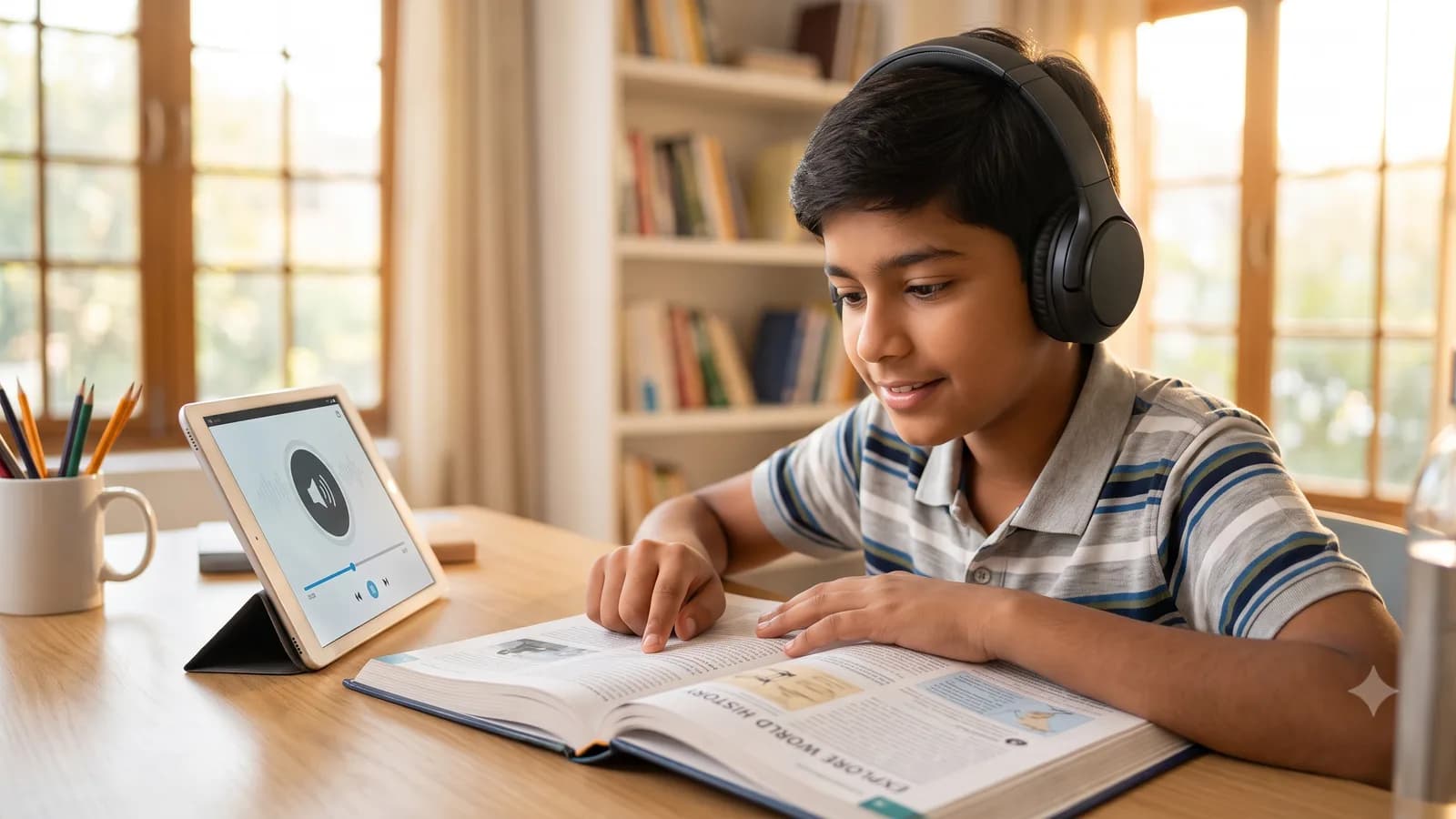
Text-to-speech. The core tool for decoding difficulties. Having text read aloud while the child follows the words visually is the standard approach, and the dual input matters -- it is not the same as listening alone.
Built-in and free: iOS and macOS Speak Screen and Spoken Content, Android Select to Speak, Microsoft Edge's Read Aloud, Microsoft's Immersive Reader inside Word and OneNote. Chrome and Edge extensions do the same for web pages. For most families there is nothing to buy.
What it is for: getting through material the child can understand but cannot efficiently decode. What it is not for: replacing reading instruction.
Optical character recognition. Phone cameras that convert a printed page or a worksheet into text, which can then be read aloud. This is what makes physical textbooks accessible, and it is the step most families miss.
Reading-format adjustment. Immersive Reader and similar tools let you increase spacing, isolate a line, change the font, and split words into syllables. Individual preferences here vary a great deal and the evidence for specific "dyslexia fonts" is weaker than their marketing suggests -- but spacing and line focus are cheap to try and some students find them genuinely helpful.
Writing support
Dictation. For a child whose ideas substantially outrun their ability to get words onto a page -- through spelling difficulty, handwriting difficulty, or the working-memory cost of doing both at once -- speaking the draft removes a barrier that has nothing to do with the quality of their thinking. Built into every phone, every version of Word, and Google Docs.
The workflow that tends to work: dictate the messy first draft, then edit it on screen. Editing is a different and usually easier task than generating from nothing.
Word prediction and spelling support. Reduces the load of retrieving spellings mid-sentence, which for some students is what makes writing intolerable rather than merely hard.
Grammar and clarity checking. Useful, with one important caveat that families should think about in advance: check the school's policy. A tool that rewrites sentences is in different territory from one that flags a missing full stop, and the gap between those two is where accusations of AI use arise -- a risk that falls hardest on exactly the students who most need the support. Ask the teacher, in writing, before it becomes a problem.
Attention and task breakdown
This is the area where general-purpose AI assistants are most genuinely useful, and it is worth being precise about why.
For many students with attention difficulties, the obstacle is not the work but the initiation of the work -- an assignment described as "write an essay on the causes of the war" presents as one enormous undivided block, and there is no obvious first move. Breaking a large task into a sequence of small, concrete, ordered steps is a real cognitive skill, it is one that executive-function difficulties specifically affect, and it is something a chatbot does reliably.
Asking a tool to decompose a task -- break this assignment into steps, with a rough time for each -- is not doing the work. The student still does every step. What has been removed is the planning barrier standing between them and starting.
Other genuinely useful applications in this space: timers and visual countdowns, single-task-at-a-time views, reading a long instruction sheet aloud so it can be processed without re-reading, and converting a wall of text into a checklist.
What does not belong in this category: asking the tool to produce the answer. That is a different activity with different consequences, and it is worth being clear with a child about where the line sits.
Scaffold, not substitute
The question parents ask most, and it deserves a straight answer: if my child listens to text instead of reading it, will they ever learn to read?
The distinction to hold on to is between the tool being used to access content in other subjects and the tool being used during reading instruction itself. A child in a science lesson should be able to access the science; making them decode the textbook first means testing reading and calling it science. During reading instruction, the tool comes off, because the reading is the thing being taught.
The same logic applies elsewhere. Dictation during a history essay is fine; dictation during handwriting practice defeats the point. A calculator in a problem-solving lesson is fine; a calculator during arithmetic fluency practice is not.
Two further guards worth building in:
Keep the difficulty somewhere. If a tool removes the access barrier, the child should still be doing the thinking. Support that removes the effort along with the obstacle has removed the learning too -- and there is a randomised study, published in PNAS, showing what happens when technology supplies answers rather than support: students performed better while they had it and measurably worse than a control group once it was taken away. That finding applies to every student, and the students discussed here have the least margin for it.
Review periodically. What a child needs at nine is not what they need at fourteen. Some supports are permanent and reasonably so; others are scaffolding to be lowered as the underlying skill develops.
What it cannot do
Being honest about limits is more useful than enthusiasm here.
- It is not a diagnosis, and it is not a treatment. No tool identifies a learning difference or remediates one. Structured, evidence-based instruction does that, delivered by a person.
- It does not replace specialist teaching. A child with dyslexia needs systematic phonics-based instruction from someone trained in it. Text-to-speech makes the rest of school accessible while that happens.
- It does not remove the need for an assessment. Accommodations in public examinations generally require formal documentation. Starting that process early matters, because it is slow.
- It is not equally good at everything. Speech recognition still struggles with some accents and with subject-specific vocabulary. Try before relying on it for anything that matters.
- It can be wrong, confidently. A general-purpose chatbot used to explain a concept will sometimes explain it incorrectly in fluent, assured prose. For a student who cannot easily check, that is a real risk, and it is an argument for tools that support access rather than tools that supply content.
Talking to the school about accommodations
Practical sequencing, because this is where families most often get stuck.
Ask what is already available. Schools frequently have licences -- for Immersive Reader, for reading pens, for exam access arrangements -- that are not offered proactively.
Describe the barrier, not the tool. "He understands the content but cannot get through the reading in the time available" gets further than "can he use text-to-speech".
Ask about examination access arrangements specifically. These are governed by board rules, require evidence, and have deadlines that are earlier than most parents expect. The classroom accommodation and the exam accommodation are separate processes.
Get the agreement in writing. Teachers change; documented arrangements survive.
Ask about consistency. An accommodation applied by one teacher and not another is worse than none, because it becomes something the child has to negotiate every lesson.
Where this fits
The underlying idea here is one we have written about more generally: instruction pitched at what a particular student needs rather than at the middle of a class. What personalised learning actually means covers the broader version, and accessibility is arguably its clearest and least speculative application -- a child who cannot access the material is not in a position to benefit from any teaching at all, however well it is pitched.
It is also worth being clear about what these tools are and are not. Text-to-speech and task breakdown are accessibility features. They are not tutoring, they do not adapt to what a student has mastered, and they do not know what to teach next. What an AI tutor would actually have to do is a different and considerably harder problem, and conflating the two leads families to expect teaching from a tool that was only ever offering access.
eGunas teaches with human tutors today; our AI-assisted learning platform has not launched. Everything described above is freely available from the operating system your child already uses, and none of it requires buying anything from us.
Accommodations work best alongside teaching that is paced to the individual child rather than to a class of thirty.
- Talk to us about your child -- tell us what support is already in place
- Browse subjects and classes
Nothing here is diagnostic advice. If you suspect a learning difference, a formal assessment through your school or a qualified professional is the right first step.